
Searching Nash County Civil Dockets
Begin online. The public entry point is the North Carolina eCourts Portal, where Smart Search pulls up a Case Summary, also called a Register of Actions. Got a case number? Enter it first. Without one, search the main party name and narrow a crowded result with the filters, since Civil Actions, non-confidential Special Proceedings, and Estates each have their own Advanced Filtering category.
Treat the filters as helpers rather than searches on their. The official guidance says a business name search must be set to Business Name in Advanced Filtering before it runs, and a comma in a business name needs a wildcard in place of the comma with nothing after it. The official Nash County court page links local users to Portal and court-date tools. Registering lets you save cases, though an anonymous public user can still search publicly available court information without an account.
- Open Smart Search and enter the case number or the spelling used on a court document.
- Select a documented civil, special-proceeding, or estate filter only after the primary search criterion is set.
- Open the matching Nash County Case Summary and check its Assignment Information.
- Review the events, hearings, cause of action, disposition, and financial information where applicable.
- Call the Nash County Clerk of Superior Court if a filed document or certified copy is required.
Note: A public Portal view can locate a Nash County civil case. It is not the official court file.
Nash County Civil Actions
Portal separates its public search service from the state's electronic filing system. eCourts File & Serve is that filing channel, built to work with Enterprise Justice, also called Odyssey. It is not the public route for reading a Nash County civil docket. Smart Search and Search Hearings are the public access tools, and the clerk holds the county case file itself.
The distinction matters when a timeline lists an event but shows no public document image. The entry tells you what to ask for. Can you see the filed item? That depends on the case, the document, and the clerk's record process.
Portal's civil information covers Case Information, Assignment Information, Party Information, and civil causes of action. It also covers Case Events, hearings, dispositions, and financial information where it applies. There is no single universal Nash County label set for service, answer, motion, default, nonsuit, or judgment. When the wording matters, use the exact Portal text. Then ask the clerk for the filed order.
Inside a Nash County Civil Docket
A Nash County civil Case Summary has a natural reading order. Case Information and the case number come first. Check Assignment Information to confirm the court or judicial assignment. Next comes Party Information and the civil cause of action. Together they verify the right matter is open. Case Events give the timeline. Hearings show scheduled court activity, and dispositions show the recorded outcome or status. Financial Information appears when it applies.
Remember that a Case Summary is a docket view. It is not a promise of every pleading, order, exhibit, or transcript. The state court-record guidance sends you to the clerk in the county where the case sits. That clerk handles paper-file access and fee-based copies. For a Nash County case, that means the Nash County Clerk of Superior Court.
| Case Information | The Portal block that identifies the civil case at issue. |
|---|---|
| Assignment Information | The court or judicial assignment used to confirm the Nash County matter. |
| Party Information | Public party-role information shown for the selected case. |
| Cause of Action | The civil claim category Portal identifies for eligible civil, family, probate, or mental-health matters. |
| Events, Hearings, Disposition | The docket timeline, settings, and outcome information available in the public Case Summary. |
Nash County Civil Court Divide
Court assignment drives any Nash County civil docket search. Under G.S. 7A-243, ordinary civil actions at $25,000 or less go to District Court, and matters above that amount go to Superior Court. Family matters stay within District Court. Both divisions share one Nash County Clerk of Superior Court, so the same public Portal route starts the search even when the case proceeds in a different division.
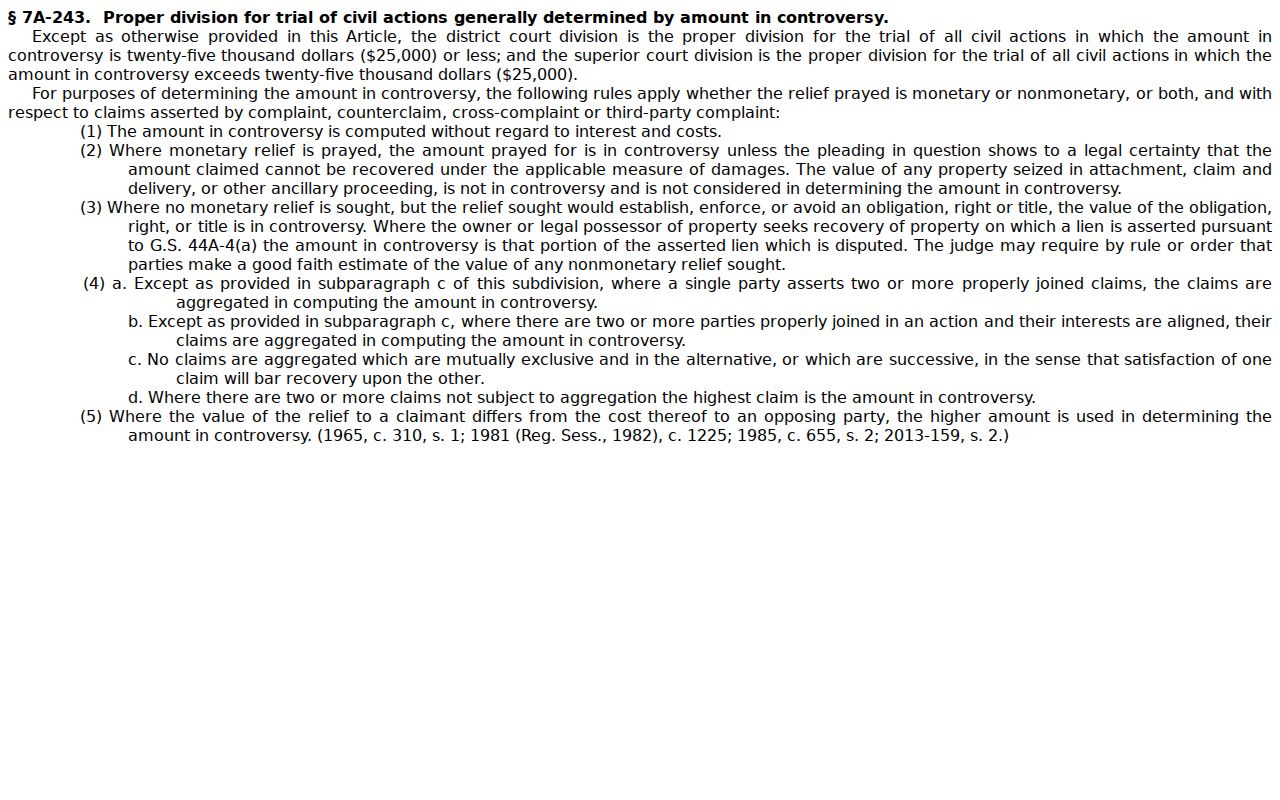
That statutory split is a routing rule, nothing more. It explains why Assignment Information beats guessing about a civil claim. A filed civil matter still needs its assignment confirmed. Check it in Portal or with the Nash County clerk.
The North Carolina Superior Court overview describes Superior Court's general-jurisdiction role. That includes civil matters above the statutory District Court allocation. Nash County Superior Court sits within Superior Court District 8A.
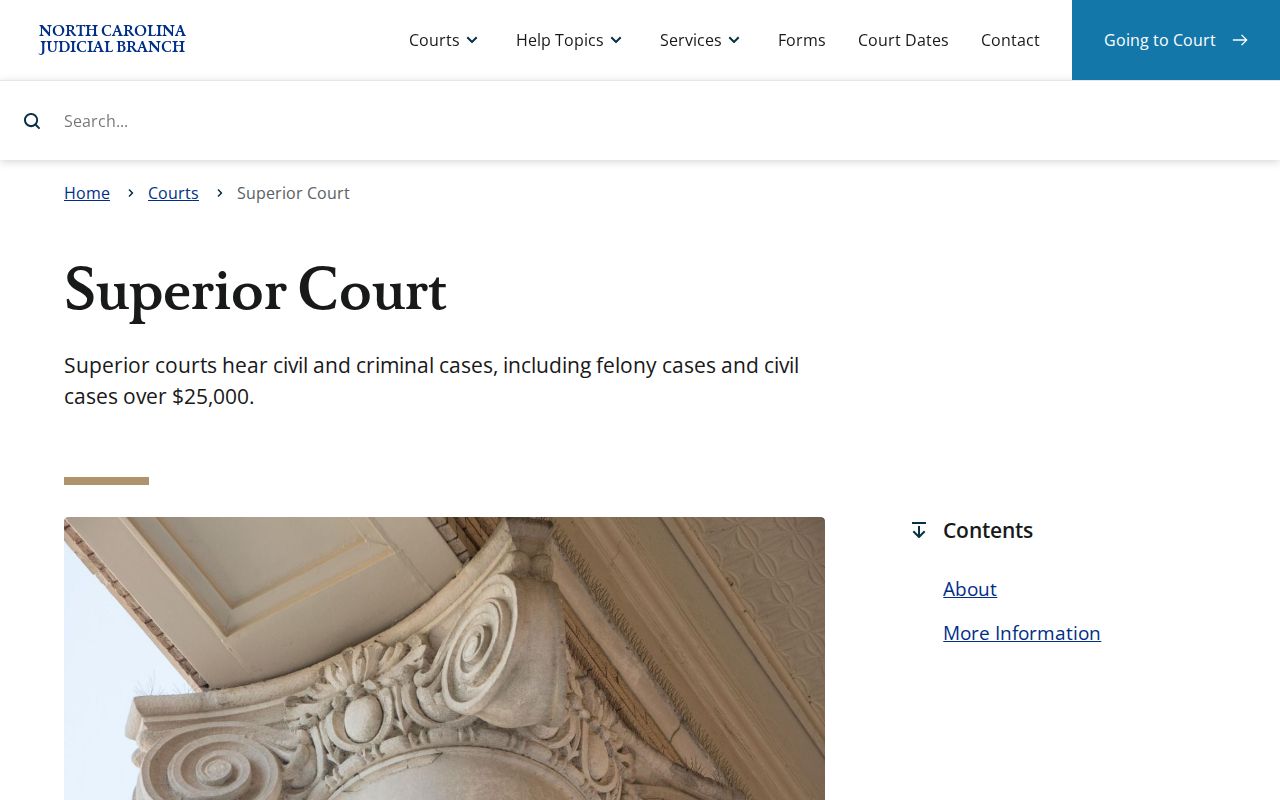
This court-level context helps a Nash County reader make sense of the assignment shown in the docket. It does not mean the online Case Summary settles any legal question.
Civil Case Types on the Docket
Nash County civil court records can span ordinary civil actions, family matters, and non-confidential special proceedings. They also include estates and qualifying small claims. Portal offers separate filters for Civil Actions, Special Proceedings, and Estates. A civil cause of action may show up in the Case Summary for eligible civil, family, probate, or mental-health records. Sort results with those categories, but read the docket alongside its assignment and events.
- Ordinary civil actions assigned to District Court or Superior Court
- Family matters handled in District Court
- Non-confidential special proceedings
- Estate records handled through the unified clerk system
- Qualifying small claims assigned to a magistrate
Nash County has no separate probate court. Estate and special-proceeding records are clerk-filed records inside the unified court system. A civil label never lifts a statutory access limit, and non-confidential status still matters when a Portal filter is used.
Nash County Small Claims
In Nash County, a magistrate sits as a District Court officer. Small claims there top out at $10,000 when the plaintiff asks for a magistrate, according to G.S. 7A-210. That is the statutory ceiling, though. State guidance warns that local assignment practice in active use can run anywhere from $5,000 to $10,000. Do not assume a Nash County matter lands with a magistrate. Confirm the assignment with the clerk first.
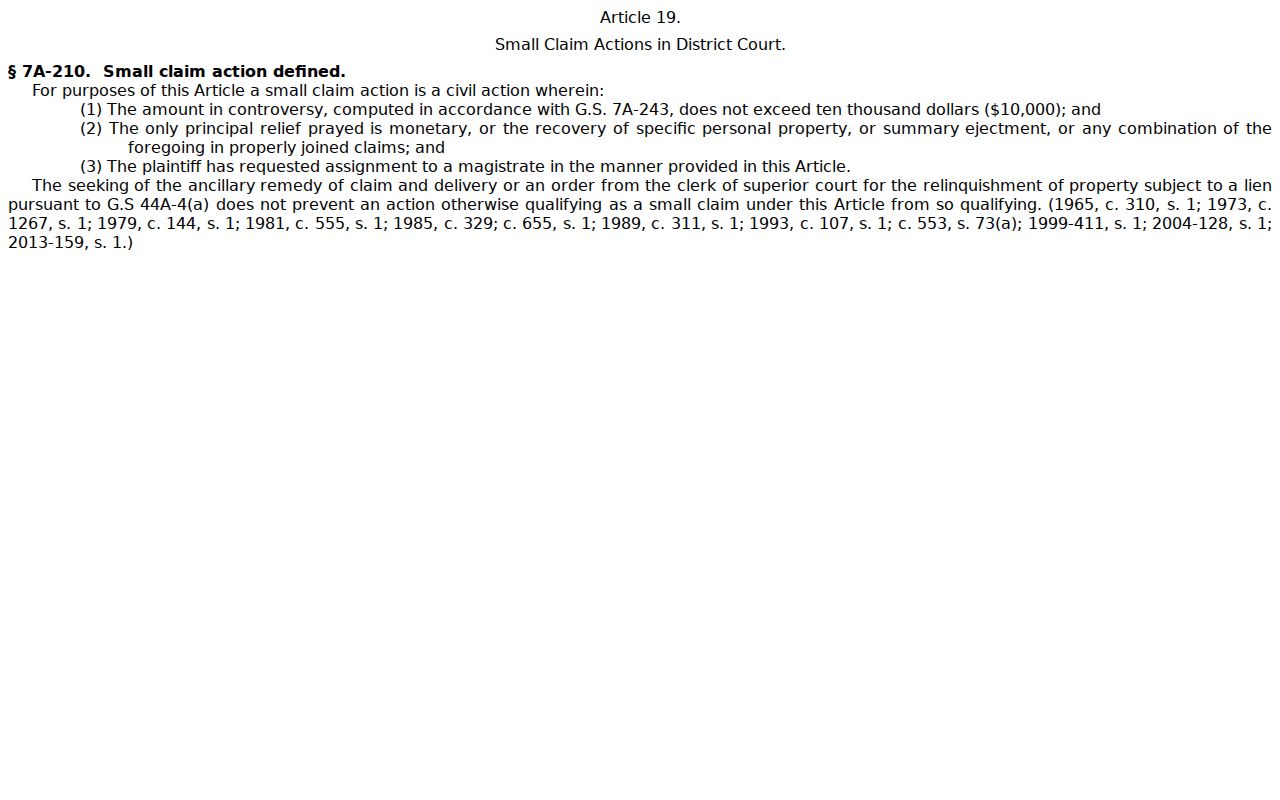
Magistrates decide small claims, but they do not keep their own separate docket office. One unified Nash County clerk holds the case files and docket records for everything. That covers Superior Court, District Court, and magistrate matters alike. When you run a Nash County court record search, go by the actual case information and its assignment rather than by the judge or officer who heard it.
Civil Docket Settings and Hearings
Nash County civil settings can be checked more than one way. Portal's Search Hearings feature lets you search current calendars. You can narrow by date range, location, hearing type, and a chosen criterion. The Nash County court page also links Civil Calendars on its own. Know what each thing is. A calendar lists the cases set for a court session. A Case Summary traces the full event history of one case. Compare the newest Portal hearing entry against the calendar. If travel or a filing deadline rides on the setting, confirm it with the court office. The local Nash rules and forms page gathers civil, criminal, domestic, juvenile, and calendar materials in one index. Among them are a Request for Peremptory Setting and an Order Regarding Assignment of Judges revised in March 2026. A peremptory setting is a request for a firm date. The court still has to approve it. Nothing about it promises a particular result or calendar slot.
Local rules explain the procedure. For a live setting after Nash County's 2025 eCourts conversion, Portal and the court offices remain the current source.
Nash County Civil Calendar
The Nash Superior Court Civil Calendar Rules spell out how the local civil calendar works. The Trial Court Administrator sets both civil case calendars and motion calendars. The clerk then posts those calendars in a prominent place. Counsel and the public can see them there. The same material describes scheduling calendars, tentative calendars, and case-status reports. It also covers the May and November scheduling conferences.
One caution on that rule: it dates to 2002. That is well before Nash County joined eCourts in 2025. The old rule still explains the local calendar process. But it cannot replace the current Portal date. It cannot replace the current calendar link or a call to the clerk either. Also, do not assume every hearing is remote or that any uniform notification service exists. Nash County offers no such guarantee.
Nash County Civil Case Files
A Nash County civil docket search turns up three records that are easy to confuse. The Case Summary is Portal's timeline of the case. It holds information, events, hearings, disposition, and some financial details. A filed court document is the real thing. It is a pleading, order, judgment, or exhibit sitting in the county file. A certified copy is different again. It is a copy the Nash County Clerk of Superior Court seals and certifies as true to the original. Say the online timeline shows an order. The public view will not show you the order itself. Ask the clerk for the filed document. A transcript is yet another animal. A court reporter or recording technician creates that verbatim record. You request it through the right reporter, transcriptionist, or clerk channel if a recording exists. It is not part of the civil docket by default.
Useful distinction: A Nash County Case Summary helps locate and understand a civil case; the clerk’s court file supplies the official documents and certification route.
Civil Docket Access Rules
Public access to Nash County civil dockets starts with G.S. 7A-109. That statute makes the clerk keep dockets, records, files, and indexes, and it generally opens them to public inspection during regular office hours unless some other law limits access. Chapter 132 supplies North Carolina's general definition of a public record and its minimal-cost policy, always subject to confidentiality laws. Portal access changes none of this. A sealed, confidential, or restricted record stays that way.
North Carolina records rules. G.S. 7A-109 governs clerk-kept docket access. G.S. 7A-308 supplies statutory clerk fees for copies, certificates under seal, and exemplifications. The county clerk, rather than NCAOC, is the custodian for a Nash County case file.
Portal sometimes will not return the public case information you expected. A terminal at a clerk office is the fallback. State guidance says these terminals search civil, special-proceeding, and estate records. The Nash County Courthouse page identifies the local courthouse. At the Nash County Courthouse, the clerk's main number is (252) 220-3000. Call before making a records request. The clerk can confirm availability, copy type, price, payment, and pickup or mail instructions.